


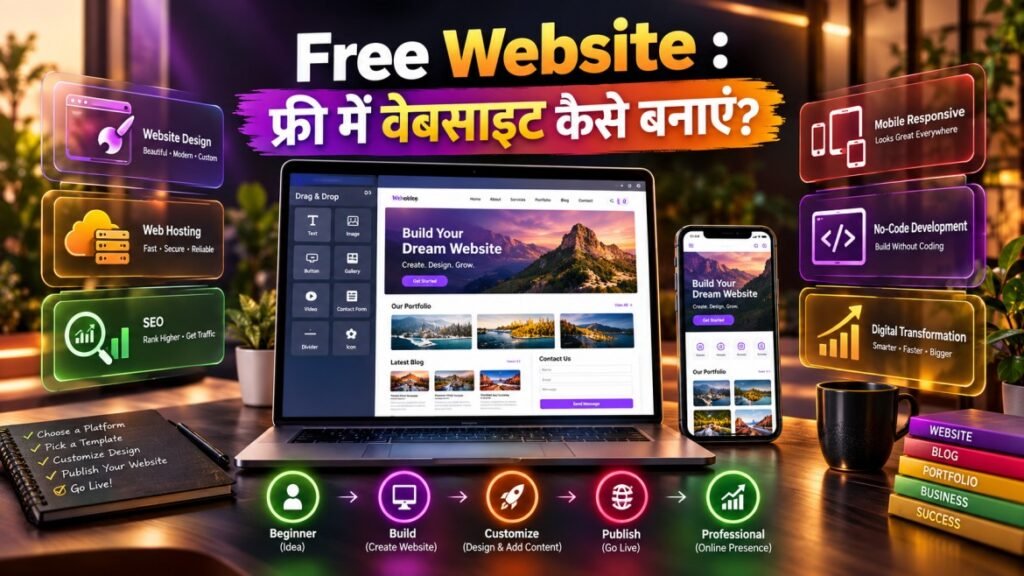
आज के digital युग में किसी व्यक्ति, freelancer, student, creator या छोटे business के लिए online presence होना काफी महत्वपूर्ण हो गया है। पहले वेबसाइट बनाने के लिए coding knowledge, developer और बड़ा budget जरूरी माना जाता था, लेकिन अब कई ऐसे platforms उपलब्ध हैं जिनकी मदद से beginner भी कम या बिना लागत के अपनी वेबसाइट शुरू कर सकता है।
Free Website का मतलब ऐसी वेबसाइट से है जिसे शुरुआती स्तर पर बिना website development के बड़े खर्च के बनाया जा सकता है। कई platforms templates, hosting और basic website-building tools उपलब्ध कराते हैं, जिससे technical knowledge के बिना भी शुरुआत संभव होती है।
मान लीजिए आप एक freelancer हैं और अपने काम का portfolio दिखाना चाहते हैं। आप एक simple Free Website बनाकर अपनी services, projects, contact information और testimonials एक जगह प्रदर्शित कर सकते हैं।
इसी तरह students अपना portfolio, bloggers अपना content और छोटे businesses अपनी services online प्रस्तुत करने के लिए website बना सकते हैं।
इस लेख में हम समझेंगे कि Free Website क्या है, इसे कैसे बनाया जाता है, कौन-कौन से options उपलब्ध हैं, free और paid website में क्या अंतर है, SEO कैसे करें, किन challenges का सामना करना पड़ सकता है और आने वाले समय में website creation का future कैसा रहेगा।
Table of Contents
Free Website क्या होती है?
Free Website ऐसी website होती है जिसे किसी free website builder या platform की सहायता से शुरुआती तौर पर बिना hosting या development के सीधे भुगतान के बनाया जा सकता है।
Free platforms आमतौर पर इनमें से कुछ सुविधाएं दे सकते हैं:
- Ready-made templates
- Drag-and-drop editor
- Basic hosting
- Limited storage
- Basic SSL/security
- Website publishing tools
- Basic SEO options
हालांकि हर platform की free plan limitations अलग होती हैं। कुछ services free subdomain देती हैं, जबकि custom domain, advanced storage या premium features के लिए paid plan की आवश्यकता हो सकती है।
इसलिए Free Website शुरू करने से पहले platform की pricing और terms को समझना जरूरी है।
Free Website बनाने के लिए क्या चाहिए?
शुरुआत करने के लिए बहुत अधिक technical knowledge जरूरी नहीं है।
जरूरी चीजें
- Computer या smartphone
- Stable internet connection
- Website का उद्देश्य
- Website name
- Basic content
- Images या graphics
- Email address
- Free website-building platform
अगर आप business website बनाना चाहते हैं तो logo, service details और contact information पहले से तैयार रखना उपयोगी रहेगा।
Free Website कैसे बनाएं? Step-by-Step Guide
अब सबसे महत्वपूर्ण सवाल है—फ्री में वेबसाइट कैसे बनाई जाए?
Step 1: Website का उद्देश्य तय करें
सबसे पहले तय करें कि website क्यों बनानी है।
उदाहरण:
- Personal portfolio
- Blog
- Business website
- Resume website
- Online course information
- Photography portfolio
- Freelancer profile
- Community website
एक clear purpose होने से design और content planning आसान हो जाती है।
Step 2: Website Platform चुनें
Beginners के लिए website builders उपयोगी हो सकते हैं क्योंकि इनमें coding manually करने की आवश्यकता कम होती है।
Platform चुनते समय देखें:
- Free plan में क्या शामिल है?
- Subdomain कैसा मिलेगा?
- Storage कितना है?
- Templates कितने हैं?
- SEO settings उपलब्ध हैं?
- Ads दिखाई जाएंगी या नहीं?
- बाद में custom domain जोड़ सकते हैं या नहीं?
- Website export/migration संभव है या नहीं?
Free Website के लिए platform selection बहुत महत्वपूर्ण है क्योंकि शुरुआती platform बाद में आपकी website की flexibility को प्रभावित कर सकता है।
Step 3: Template चुनें
अधिकांश website builders कई templates उपलब्ध कराते हैं।
अपने website type के अनुसार template चुनें।
Portfolio के लिए
- Minimal layout
- Project gallery
- About section
- Contact form
Business के लिए
- Services
- About company
- Testimonials
- Contact details
- Call-to-action buttons
Blog के लिए
- Clean typography
- Category navigation
- Search
- Featured images
- Article layout
Template सुंदर होने के साथ mobile-friendly भी होना चाहिए।
Step 4: Website का नाम और Domain चुनें
Free plans में अक्सर platform-specific subdomain मिलता है।
उदाहरण के तौर पर:
yourname.platformname.com
Paid plan में आप अपना custom domain जैसे:
yourbrand.com
use कर सकते हैं।
अगर आप long-term business या professional brand बनाना चाहते हैं, तो भविष्य में custom domain पर migrate करने की योजना रखना बेहतर हो सकता है।
Step 5: जरूरी Pages बनाएं
एक basic Free Website में कम से कम जरूरी information आसानी से उपलब्ध होनी चाहिए।
Recommended pages:
- Home
- About
- Services
- Blog
- Portfolio
- Contact
- Privacy Policy
- Terms & Conditions
हर website को सभी pages की आवश्यकता नहीं होती। अपने उद्देश्य के अनुसार structure तैयार करें।
Step 6: Content जोड़ें
Website का content simple और user-focused रखें।
Homepage पर बताएं:
आप कौन हैं?
आप क्या करते हैं?
आप किसकी मदद करते हैं?
Visitor को अगला क्या करना चाहिए?
उदाहरण:
“हम छोटे businesses के लिए affordable digital marketing solutions प्रदान करते हैं।”
इसके नीचे services और contact button दिया जा सकता है।
Step 7: Images और Graphics जोड़ें
High-quality images website को professional बनाती हैं।
लेकिन बहुत बड़ी image files website की loading speed को प्रभावित कर सकती हैं।
इसलिए:
- Images compress करें
- Web-friendly formats का उपयोग करें
- Descriptive ALT text लिखें
- Unnecessary stock images से बचें
Step 8: Mobile Responsiveness Check करें
आज बड़ी संख्या में users mobile devices से websites access करते हैं।
इसलिए अपनी Free Website को smartphone, tablet और desktop पर test करें।
Check करें:
- Text readable है?
- Buttons आसानी से click हो रहे हैं?
- Menu सही काम कर रहा है?
- Images screen से बाहर तो नहीं जा रहीं?
- Forms properly work कर रहे हैं?
Step 9: SEO Settings Configure करें
Search engines में visibility के लिए basic SEO आवश्यक है।
Basic SEO Checklist
- Unique page title
- Relevant meta description
- Proper H1 heading
- H2/H3 structure
- Descriptive URLs
- Image ALT text
- Internal links
- Fast loading
- Mobile-friendly design
- Useful original content
Free Website को search results में grow करने के लिए केवल website publish करना पर्याप्त नहीं है। Quality content और SEO पर लगातार काम करना पड़ता है।
Free Website के लिए SEO कैसे करें?
SEO website की organic visibility बढ़ाने की प्रक्रिया है।
Keyword Research
अपने target audience द्वारा search किए जाने वाले terms identify करें।
उदाहरण:
अगर आपकी website digital marketing services के बारे में है, तो relevant keywords हो सकते हैं:
- Digital Marketing Services
- SEO Services
- Social Media Marketing
- Online Marketing
- Small Business Marketing
Keywords को content में naturally इस्तेमाल करें। Keyword stuffing से बचें।
On-Page SEO
हर important page में:
- Relevant title
- Meta description
- One clear H1
- Structured headings
- Internal links
- Optimized images
होने चाहिए।
Technical SEO
Technical aspects भी महत्वपूर्ण हैं।
इन पर ध्यान दें:
- Page speed
- Mobile responsiveness
- HTTPS
- Crawlability
- Broken links
- Sitemap
- Canonical configuration जहां आवश्यक हो
एक Free Website में available technical controls platform के अनुसार सीमित हो सकते हैं।
Free Website और Paid Website में अंतर
Free और paid website के बीच सबसे बड़ा अंतर केवल price नहीं बल्कि control और features का भी होता है।
| Feature | Free Website | Paid Website |
|---|---|---|
| Initial Cost | कम/शून्य | Subscription/hosting cost |
| Domain | अक्सर subdomain | Custom domain संभव |
| Templates | Limited या selected | अधिक options |
| Storage | सीमित | Plan के अनुसार |
| Branding | Platform branding संभव | अधिक control |
| SEO Controls | Basic | Advanced options |
| Support | Limited हो सकता है | Plan dependent |
| Customization | सीमित | अधिक flexibility |
अगर आप केवल सीखने, experimentation या personal project के लिए website बना रहे हैं, तो free option पर्याप्त हो सकता है।
लेकिन serious business के लिए advanced features की आवश्यकता पड़ सकती है।
Free Website के फायदे
Free Website का सबसे बड़ा फायदा accessibility है।
प्रमुख फायदे
- शुरुआती खर्च कम
- Coding की कम आवश्यकता
- Fast setup
- Ready-made templates
- Beginner-friendly interface
- Experiment करने की सुविधा
- Portfolio शुरू करने का आसान तरीका
- Digital presence बनाने का अवसर
उदाहरण के लिए, कोई student बिना developer hire किए अपना portfolio बना सकता है और internship applications के दौरान उसका link share कर सकता है।
Free Website की सीमाएं
Free होने का मतलब unlimited होना नहीं है।
Common limitations
- Subdomain
- Limited storage
- Limited customization
- Platform branding
- Limited integrations
- Advanced SEO restrictions
- Limited analytics
- Monetization restrictions
- Platform dependency
इसीलिए Free Website को शुरू करने से पहले यह समझना जरूरी है कि आपका future requirement क्या है।
Free Website किन लोगों के लिए उपयोगी है?
Students
Students portfolio और resume website बना सकते हैं।
इसमें शामिल कर सकते हैं:
- Education
- Skills
- Projects
- Certificates
- Achievements
- Contact information
Freelancers
Freelancers अपने:
- Services
- Work samples
- Client testimonials
- Pricing information
- Contact details
दिखा सकते हैं।
Bloggers
Bloggers free platform से शुरुआत करके content publishing सीख सकते हैं।
Small Businesses
छोटे businesses basic information, services, location और contact details online उपलब्ध कराने के लिए website बना सकते हैं।
Creators
YouTubers, photographers, designers और other creators अपनी online identity के लिए simple website बना सकते हैं।
Free Website से पैसे कैसे कमाएं?
Website खुद-ब-खुद income generate नहीं करती। Monetization के लिए audience और useful content/service की आवश्यकता होती है।
कुछ possibilities:
Advertising
Eligible websites advertising programs के माध्यम से revenue generate कर सकती हैं, लेकिन approval और policy requirements लागू होती हैं।
Affiliate Marketing
Relevant products या services recommend करके eligible conversions पर commission प्राप्त किया जा सकता है।
Services
Website को lead-generation tool की तरह उपयोग करके freelancing या consulting services offer की जा सकती हैं।
Digital Products
E-books, templates, courses और अन्य digital resources बेचने के लिए website का उपयोग किया जा सकता है।
Lead Generation
Business website potential customers को enquiry या consultation के लिए आकर्षित कर सकती है।
इस तरह Free Website शुरुआत में digital presence और बाद में monetization channel दोनों बन सकती है।
Free Website बनाते समय Common Mistakes
Beginners अक्सर design पर अधिक और usability पर कम ध्यान देते हैं।
इन गलतियों से बचें:
- बहुत ज्यादा animations
- Difficult navigation
- Copy-pasted content
- Poor-quality images
- बहुत लंबा homepage
- Mobile optimization ignore करना
- Contact information छिपाना
- Broken links
- Slow-loading pages
- Keyword stuffing
Website का primary उद्देश्य visitor को useful information देना होना चाहिए।
Free Website और Digital Transformation
Digital transformation ने businesses और individuals दोनों के लिए online presence को अधिक महत्वपूर्ण बनाया है।
पहले customer तक पहुंचने के लिए physical location और traditional advertising पर ज्यादा निर्भरता थी। अब website, social media, search engines और digital commerce के माध्यम से audience तक पहुंचना संभव है।
एक छोटा local business भी अपनी services online showcase कर सकता है। एक freelancer international clients तक पहुंचने की कोशिश कर सकता है और एक creator अपने audience के लिए centralized digital hub बना सकता है।
इस context में Free Website digital transformation की शुरुआत करने का low-cost entry point बन सकती है।
Free Website का Future
Website creation का future artificial intelligence, automation और no-code technologies से तेजी से प्रभावित हो रहा है।
AI Website Builders
AI-based tools website structure, layouts, content suggestions और design elements तैयार करने में सहायता कर सकते हैं।
भविष्य में users केवल कुछ instructions देकर basic website तैयार कर सकेंगे।
No-Code Development
No-code और low-code tools technical barriers को कम कर रहे हैं।
इससे entrepreneurs और creators developers पर पूरी तरह निर्भर हुए बिना digital products बनाने में सक्षम हो सकते हैं।
Voice और Conversational Interfaces
Future websites में conversational interfaces और voice-based interactions अधिक common हो सकते हैं।
Personalized Websites
AI visitor behavior के आधार पर content और recommendations को personalize करने में मदद कर सकता है।
Mobile-First Experience
Smartphone usage को देखते हुए websites increasingly mobile-first design पर focus करेंगी।
इन trends के कारण Free Website बनाने की प्रक्रिया आने वाले समय में और सरल तथा automated हो सकती है।
Free Website से जुड़ी Challenges और Opportunities
Free website model में एक तरफ accessibility है, तो दूसरी तरफ limitations भी हैं।
Challenges
- Platform dependency
- Limited customization
- Storage restrictions
- Branding limitations
- Monetization constraints
- Data/control limitations
- Migration difficulties
Opportunities
- Low-cost entrepreneurship
- Student portfolios
- Freelancer branding
- Content creation
- Digital marketing
- Online education
- Small-business visibility
- Personal branding
जो व्यक्ति शुरुआत से अपनी website strategy को scalable रखता है, वह बाद में paid hosting, custom domain और advanced tools की ओर move कर सकता है।
Free Website को Professional कैसे बनाएं?
Free platform इस्तेमाल करने के बावजूद website को professional बनाया जा सकता है।
Professional Website Checklist
- Clean design रखें
- 2–3 consistent fonts का उपयोग करें
- Clear navigation रखें
- High-quality visuals इस्तेमाल करें
- Strong CTA buttons लगाएं
- Contact details स्पष्ट रखें
- Original content publish करें
- Mobile responsiveness check करें
- Website speed monitor करें
- नियमित content update करें
Professional website का मतलब महंगा design नहीं, बल्कि clear communication और अच्छा user experience है।
Beginners के लिए Practical Website Plan
अगर आप आज अपनी पहली website बनाना चाहते हैं, तो यह simple roadmap अपनाया जा सकता है:
Day 1: Website purpose और niche तय करें।
Day 2: Platform और template चुनें।
Day 3: Home और About pages तैयार करें।
Day 4: Services या Portfolio page बनाएं।
Day 5: Contact और essential policy pages जोड़ें।
Day 6: Mobile responsiveness और SEO check करें।
Day 7: Website publish करके testing करें।
इसके बाद content, SEO और audience building पर लगातार काम करें।
FAQs
क्या Free Website सच में मुफ्त होती है?
कई platforms basic website creation और hosting बिना upfront payment के उपलब्ध कराते हैं, लेकिन free plans में features और resources की सीमाएं हो सकती हैं।
क्या Free Website के लिए coding सीखना जरूरी है?
नहीं। कई modern website builders visual editors और templates प्रदान करते हैं। Advanced customization के लिए coding knowledge उपयोगी हो सकती है।
क्या Free Website Google पर rank कर सकती है?
हाँ, free website search engines में appear हो सकती है, लेकिन ranking कई factors जैसे content quality, relevance, technical SEO, authority और competition पर निर्भर करती है।
क्या Free Website से business शुरू किया जा सकता है?
हाँ, शुरुआती digital presence के लिए free website उपयोगी हो सकती है। Business बढ़ने पर custom domain और advanced hosting/features की आवश्यकता पड़ सकती है।
क्या Free Website से पैसे कमाए जा सकते हैं?
संभव है, लेकिन income guaranteed नहीं होती। Advertising, affiliate marketing, services, digital products और lead generation जैसे models relevant हो सकते हैं।
क्या बाद में Free Website को paid website में बदल सकते हैं?
यह चुने गए platform पर निर्भर करता है। कई platforms upgrade options देते हैं, जबकि कुछ situations में migration की आवश्यकता हो सकती है।
निष्कर्ष
आज website बनाना केवल developers या बड़ी companies तक सीमित नहीं है। सही platform और basic planning के साथ students, freelancers, creators और छोटे businesses भी अपनी online presence शुरू कर सकते हैं।
Free Website शुरुआती users के लिए experimentation और learning का अच्छा माध्यम हो सकती है। इससे आप website design, content creation, SEO और digital marketing की practical understanding विकसित कर सकते हैं।
हालांकि अगर आपका उद्देश्य long-term business, professional branding या serious monetization है, तो free plan की limitations को ध्यान में रखते हुए भविष्य में custom domain, बेहतर hosting और advanced features पर विचार करना चाहिए।
सबसे महत्वपूर्ण बात है—website बनाकर छोड़ना नहीं, बल्कि उसे लगातार useful content, बेहतर user experience और SEO के माध्यम से विकसित करना। सही strategy के साथ एक छोटी Free Website भविष्य में आपके personal brand, business या digital career के लिए मजबूत foundation बन सकती है।